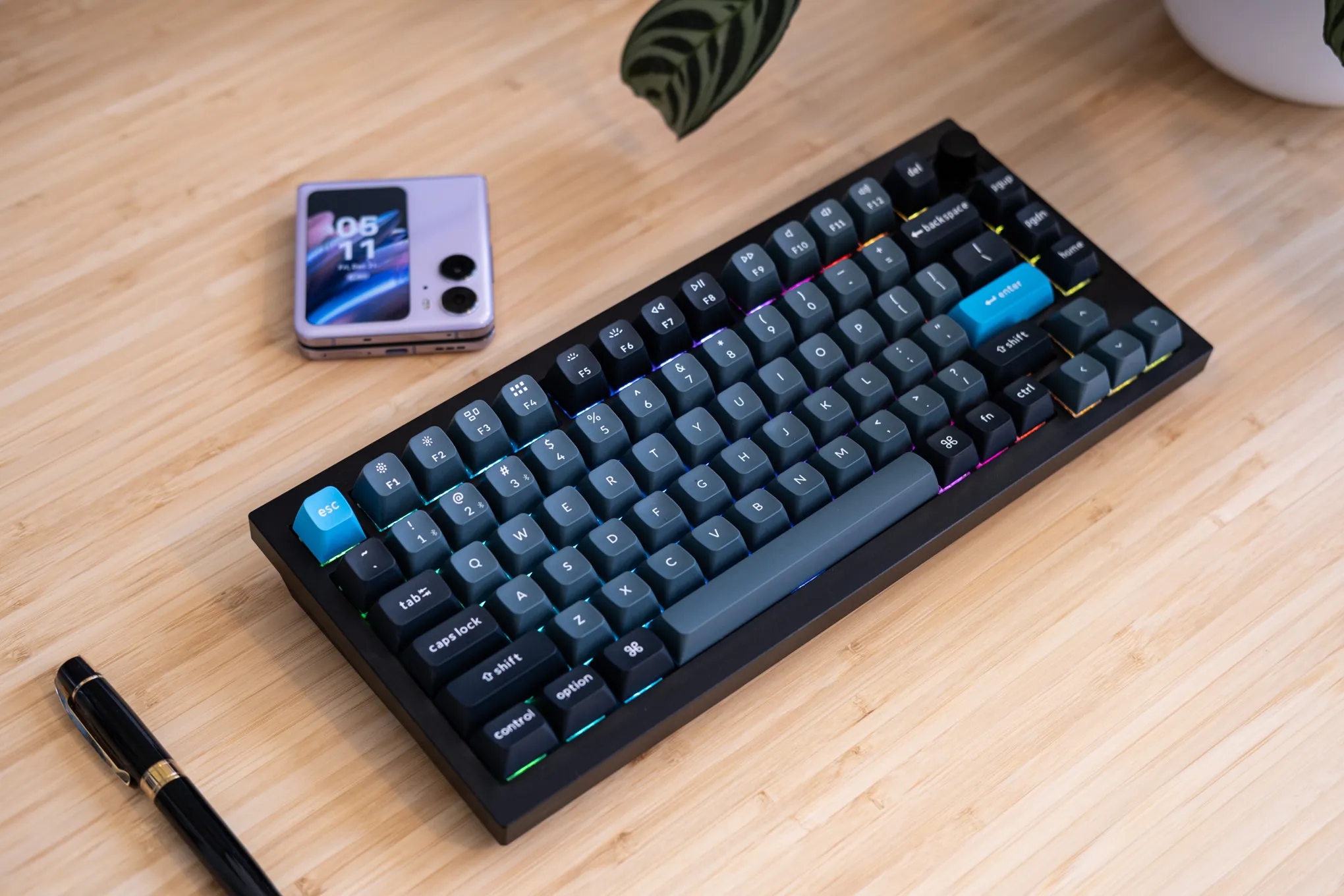
Keychron Q1 Pro Review: Wireless Mechanical Excellence
Price last updated: Feb 1, 2026
Where to Buy
Pros
- ✓ Full aluminum CNC-machined body feels incredibly premium
- ✓ Gasket-mounted design provides a satisfying, cushioned typing feel
- ✓ Hot-swappable PCB — change switches without soldering
- ✓ QMK/VIA firmware for deep key remapping and macros
- ✓ Bluetooth 5.1 with 3-device switching + USB-C wired mode
- ✓ South-facing LEDs compatible with Cherry-profile keycaps
Cons
- ✗ Heavy at 1.7kg — not travel-friendly
- ✗ Stock keycaps are decent but not exceptional
- ✗ Bluetooth latency noticeable in fast-paced typing tests (~15ms vs wired)
- ✗ No 2.4GHz wireless option
Verdict: The best wireless mechanical keyboard under €200 for developers and writers who value build quality.
Overview
The Q1 Pro takes Keychron’s already excellent Q1 formula—a heavy, gasket-mounted aluminum custom keyboard—and cuts the cord. It brings the enthusiast hobby to a wider audience with a pre-built package that requires zero tinkering to sound amazing, though the option to tinker is fully there.
Build Quality: Heavy Metal
The body is milled from a single block of 6063 aluminum. It weighs 1.7kg (3.75 lbs). It is essentially a weapon. This mass coupled with the rubber feet means it will never slide around your desk. The anodized finish is smooth and premium, available in Carbon Black, Silver Grey, and Shell White.
Typography & Typing Feel
The “Gasket Mount” design is the star here. The plate is sandwiched between silicone gaskets rather than screwed directly to the case.
- The Feel: Every keystroke has a soft, cushioned landing. It’s gentle on the fingers during long coding sprints.
- The Sound: Deep, resonant, and “thocky.” There is no metallic ping thanks to the included sound-absorbing foam ecosystem inside.
My unit came with Keychron K Pro Banana switches—tactile switches with an early bump that feel like a smoother, lighter Holy Panda.
Wireless & Connectivity
This is the Pro’s upgrade. It features Bluetooth 5.1 for up to 3 devices.
- Latency: For typing and coding, it’s imperceptible. I switched between my Mac, PC, and iPad instantly.
- Gaming: There is noticeable input lag over Bluetooth (~15ms). For competitive FPS, strictly use the wired mode (1000Hz polling rate).
- Battery: With RGB off, I got about 3 weeks of use (300 hours). With RGB on max, expect about a week.
Customization: QMK & VIA
The Q1 Pro runs on QMK firmware. You don’t need to install bloatware drivers. You just go to usevia.app in your browser.
- Remapping: I remapped
Caps LocktoEscape(tap) andControl(hold) using the “Any” key code. - Macros: One-key git commands? Easy.
- Layers: I set up a layer where
HJKLact as arrow keys when I hold theFnkey, mimicking Vim navigation anywhere in the OS.
Competition
- GMMK Pro: The original rival. It has a rotary knob standard but lacks wireless connectivity, and the gasket performance is stiffer/less bouncy out of the box.
- MonsGeek M1: Cheaper and very similar build, but software support is less refined and QC can be hit or miss compared to Keychron.
Final Verdict
The Keychron Q1 Pro hits the sweet spot between premium build quality ($500+ custom feel) and consumer convenience. It’s the keyboard I’d recommend to any developer who wants to upgrade from a gaming board to something that feels like a precision instrument. Just don’t plan on traveling with it—it’s a brick.