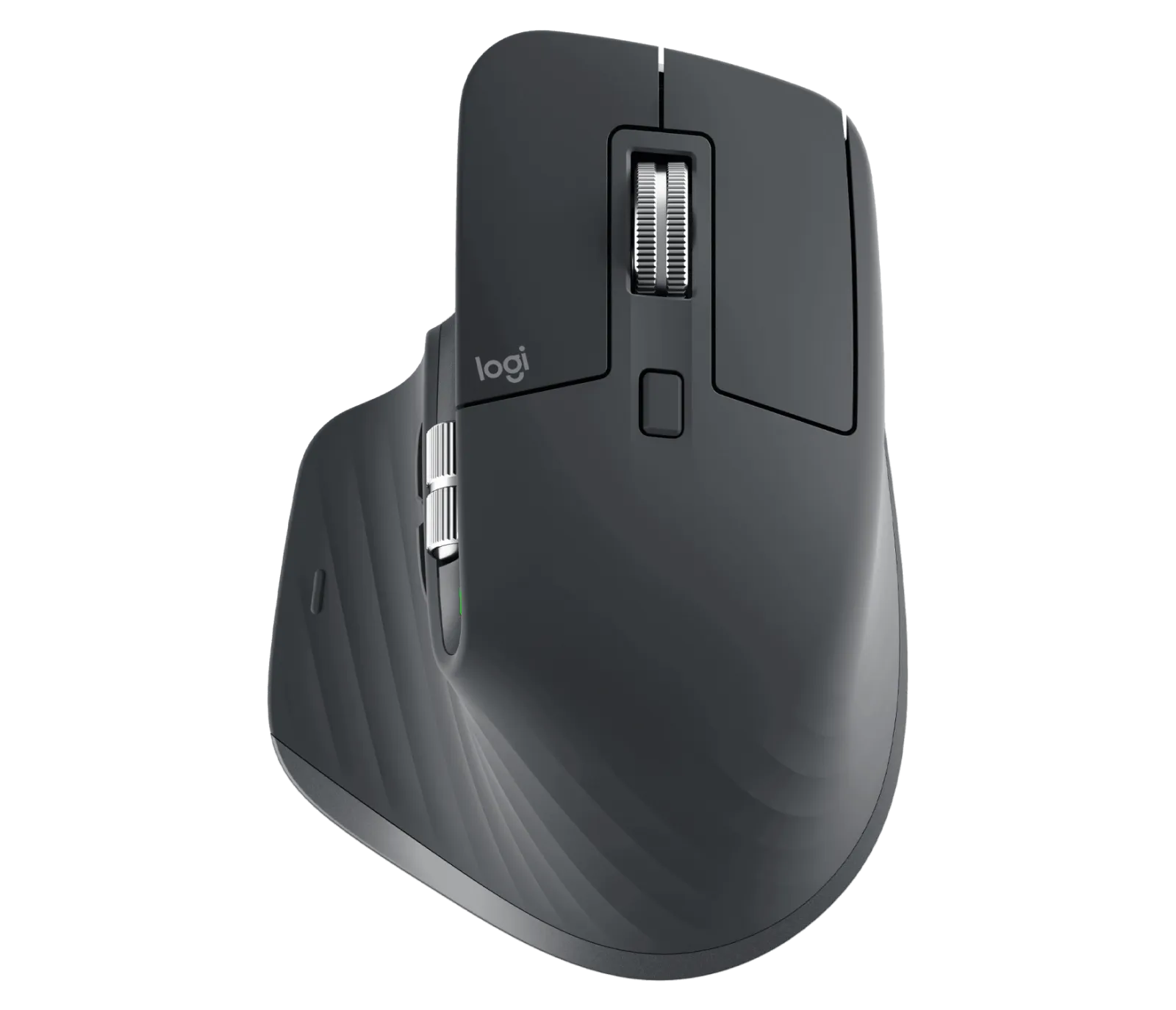
Logitech MX Master 3S Review: The Productivity King
Price last updated: Feb 1, 2026
Where to Buy
Pros
- ✓ Exceptional ergonomic shape that fits large hands perfectly
- ✓ MagSpeed scroll wheel is unmatched for long documents and code
- ✓ USB-C charging with 70-day battery life
- ✓ Seamless switching between 3 devices via Bolt or Bluetooth
- ✓ Quiet clicks without sacrificing tactile feedback
Cons
- ✗ Not suited for gaming due to weight (141g)
- ✗ Thumb buttons could be more clicky
- ✗ No wireless dongle included, Bolt receiver sold separately
Verdict: The definitive productivity mouse — nothing else comes close for daily desk work.
Overview
The MX Master 3S is the third refinement of what many consider the gold standard for productivity mice. Logitech kept the iconic sculpted shape that supports your palm and wrist during long working sessions, while upgrading the internals where it counts: a silent click mechanism and an 8K DPI sensor.
Build & Comfort: The Ergonomic King
The body is the same proven silhouette from the MX Master 3, made from a mix of soft-touch plastic and textured rubber grips. At 141g, it is heavy, but that weight contributes to a planted, precise feel. The thumb rest allows your thumb to rest naturally, preventing RSI during 8+ hour workdays.
The “S” stands for Silent. The click noise has been reduced by 90% compared to the original MX Master 3. It feels mushier at first if you’re used to mechanical switches, but for a shared office environment, it’s a godsend.
The MagSpeed Scroll Wheel
This is the defining feature that keeps users loyal. The electromagnetic scroll wheel switches between two modes automatically:
- Ratchet Mode: Precise, line-by-line scrolling with tactile notches. Perfect for selecting code blocks.
- Free-Spin Mode: Flick the wheel, and it spins silently for up to 15 seconds, traversing thousands of lines of Excel or code in an instant.
It is, without hyperbole, the best scroll wheel on any mouse, ever.
Software Superpowers: Logi Options+
The hardware is great, but the software is what makes it a productivity tool.
- App-Specific Profiles: The side scroll wheel can zoom in Chrome, brush size in Photoshop, and switch tabs in VS Code.
- Smart Actions: You can create macros. One button press can open your work apps, snap them to specific zones, and set your Spotify playlist.
- Logitech Flow: Seamlessly control up to 3 computers (Mac and Windows) and copy-paste text and files between them just by moving the cursor to the edge of the screen.
Sensor & Battery
The 8,000 DPI Darkfield sensor tracks on virtually any surface, including glass tables at coffee shops. USB-C charging delivers up to 70 days on a full charge. A quick 1-minute charge gives 3 hours of use—perfect for emergencies.
Competition
- Razer Pro Click: Developed with Humanscale, it has better ergonomics for some hand shapes and a 5G optical sensor, but lacks the MagSpeed wheel and robust software gestures.
- Apple Magic Mouse: Looks pretty, but ergonomically a nightmare compared to the Master 3S.
- Keychron M3: A lighter alternative with better sensor specs for gaming, but lacks the infinite scroll and gesture features.
Final Verdict
If you spend your day writing code, managing spreadsheets, or juggling multiple machines, the MX Master 3S is non-negotiable equipment. The scroll wheel alone justifies the price. Gamers should look elsewhere due to the weight and latency, but for knowledge workers, this is the endgame.