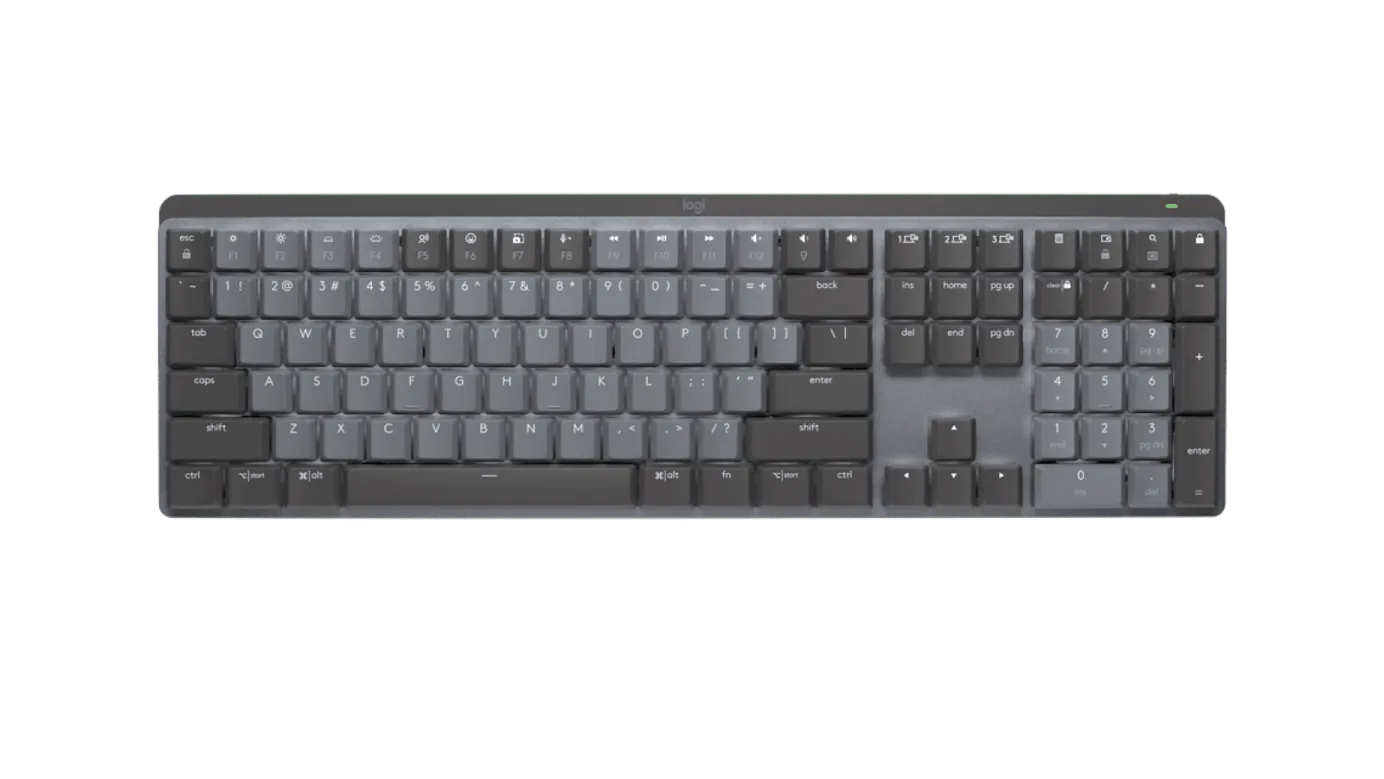
Logitech MX Mechanical Review: Low Profile, High Satisfaction
Price last updated: Feb 1, 2026
Where to Buy
Pros
- ✓ Low profile Brown tactile switches are satisfying yet office-friendly
- ✓ Insane battery life (10 months with backlight off)
- ✓ Proximity sensors light up keys before you touch them
- ✓ Seamless switching between 3 devices (Bolt + Bluetooth)
- ✓ Build quality is solid with aluminum top plate
Cons
- ✗ Keycaps are ABS (shine over time) not PBT
- ✗ Non-standard stabilizers make custom keycaps hard to find
- ✗ Expensive compared to Keychron alternatives
Verdict: The best wireless mechanical keyboard for the minimal office setup.
Overview
For years, Logitech users had to choose: the excellent features of the MX Keys (membrane) or the massive bulk of gaming mechanical keyboards. The MX Mechanical bridges that gap. It packs the smart features of the MX line into a low-profile mechanical chassis.
Typing Experience
I tested the Tactile Quiet (Brown) version.
- Feel: The low-profile switches have a distinct bump but a short travel distance. It feels faster than a traditional mechanical keyboard.
- Sound: It’s quiet enough for an open office but still has that satisfying “thud” that membrane boards lack. It’s not “thocky” like a custom board, but it’s crisp.
Smart Features
- Smart Illumination: The backlight detects your hands approaching and turns on automatically. It also adjusts brightness based on ambient light.
- Flow: If you use an MX Master mouse, you can move your cursor across computers, and the keyboard follows. Typing on your Mac, move mouse to PC, keep typing. It feels like magic.
Comparison
Vs Keychron K Pro Series: The Keychron offers better typing feel and hot-swap switches for less money. However, the MX Mechanical wins on battery life (months vs weeks) and connection stability. If you want a tool that just works, get the Logitech. If you want a hobby, get the Keychron.
Final Verdict
It’s expensive for what it is, but the friction-less experience of the MX ecosystem makes it worth it for professionals who switch devices constantly.